Personal Computer Interface for Unit Digital Mass Flow Controllers
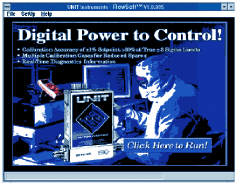
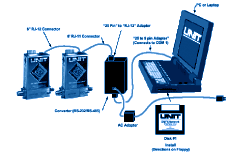
 

    Using your IBM compatible PC, this software allows the User to monitor, input or adjust many different parameters. One of the most useful, is the ability to reconfigure the MFC for different gases. The software can be calibrated for up to four calibration gases and up to seven process gases. The choice of the ten process gases can be made at the time of the purchase of the MFC. The process gas list can be modified at the service center for an additional charge. A second important feature of the software is that it allows the User to make minor adjustments such as User Span and User Zero.  Since this can be done on-line, without breaking vacuum, this helps to extend the useful life of the MFC.

FEATURES

Using the Graphical User Interface (software), you can do the following:

A. Input or adjust the following: (change gases; adjust User zero; adjust User span; digitally adjust setpoint; (for test purposes only; setpoint defaults to analog signal from system when software is exited or put in "monitor" mode); turn Flow on or off via J pin; change address; rename Group; rename MFC.

B. Confirm Group configuration match.

C. monitor the following: set point; flow; valve Voltage.

D. View the following information: (group Name; MFC name; serial Number; address; gas; user Span; user Zero; range; device Type.

E. View the following Graphical Displays (set point, indicated flow, valve voltage).

For any particular request please contact:  info@flokal.eu

© Copyright Flokal 2014

